A native iOS workout tracker
ApexSet logs a set in one thumb, then tells you something a spreadsheet can't: how your lifts compare to real population strength standards: Beginner through Elite.
Every screen
Not another generic set-and-rep counter. Every feature below is a real screen from the current App Store build, with real logged data.
01 · History
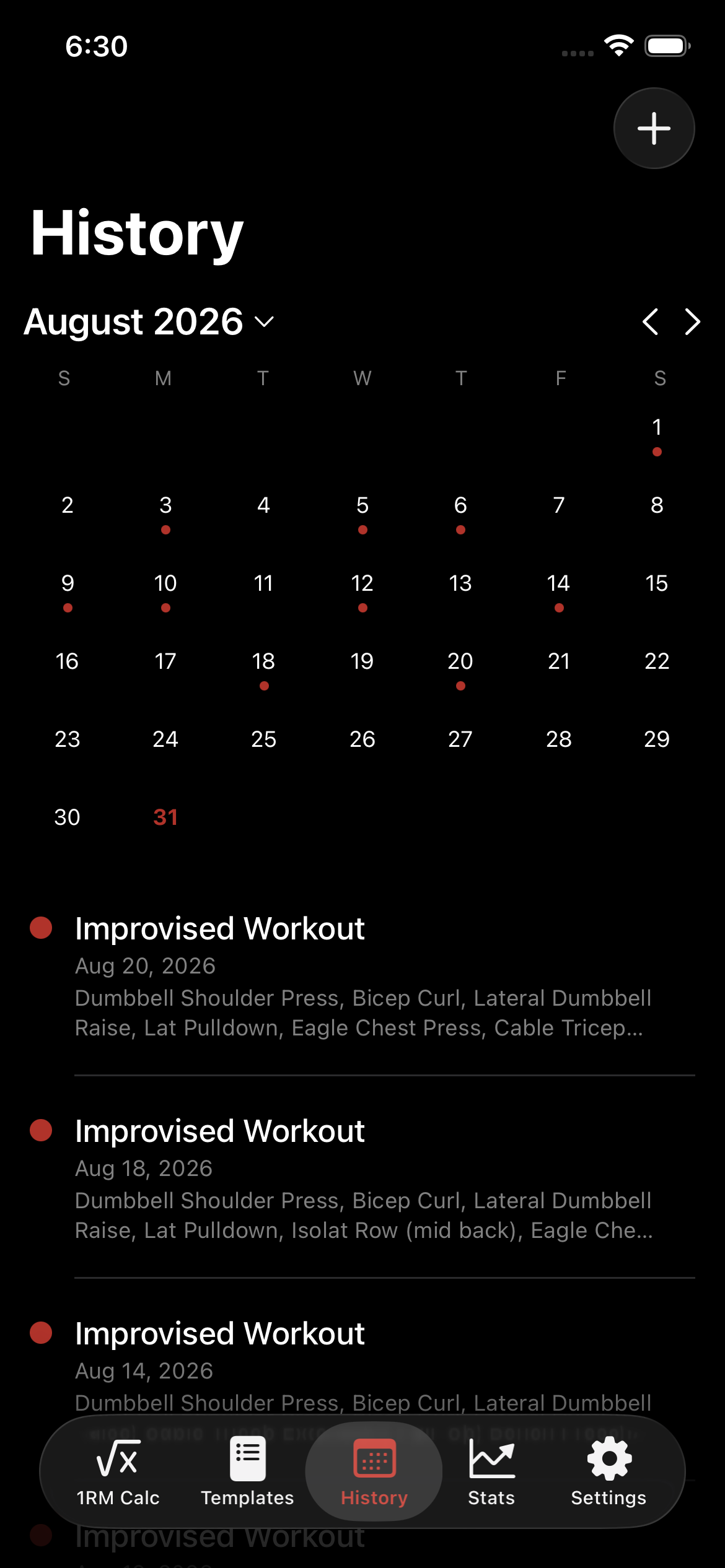
History opens on a month view with a dot for every workout day. Tap a dot, jump straight to that session. No scrolling a flat list to find the Tuesday you're thinking of.

02 · Templates
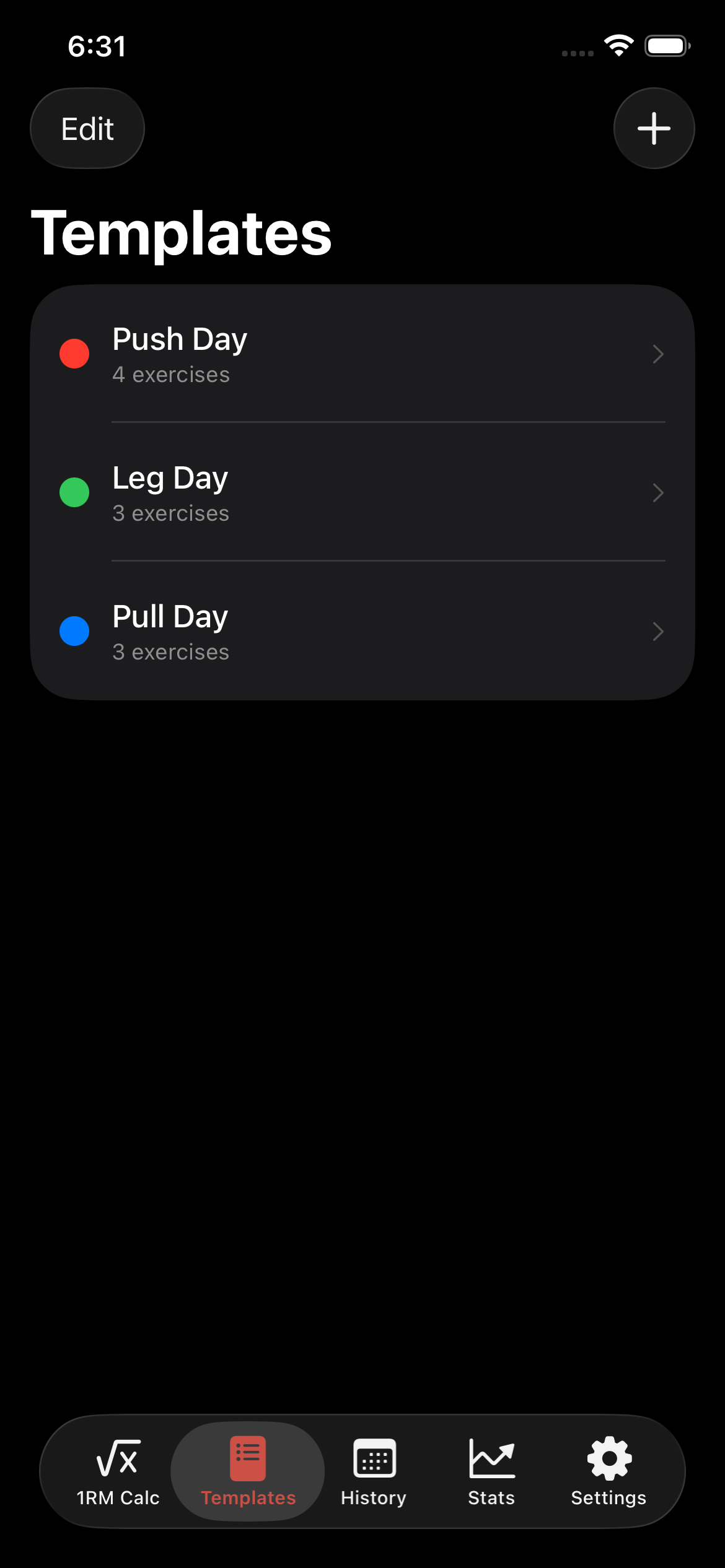
Build Push Day, Leg Day, Pull Day once: exercises, order, set counts, even a color. Starting a workout from a template pre-fills everything, ready to log.

03 · Logging
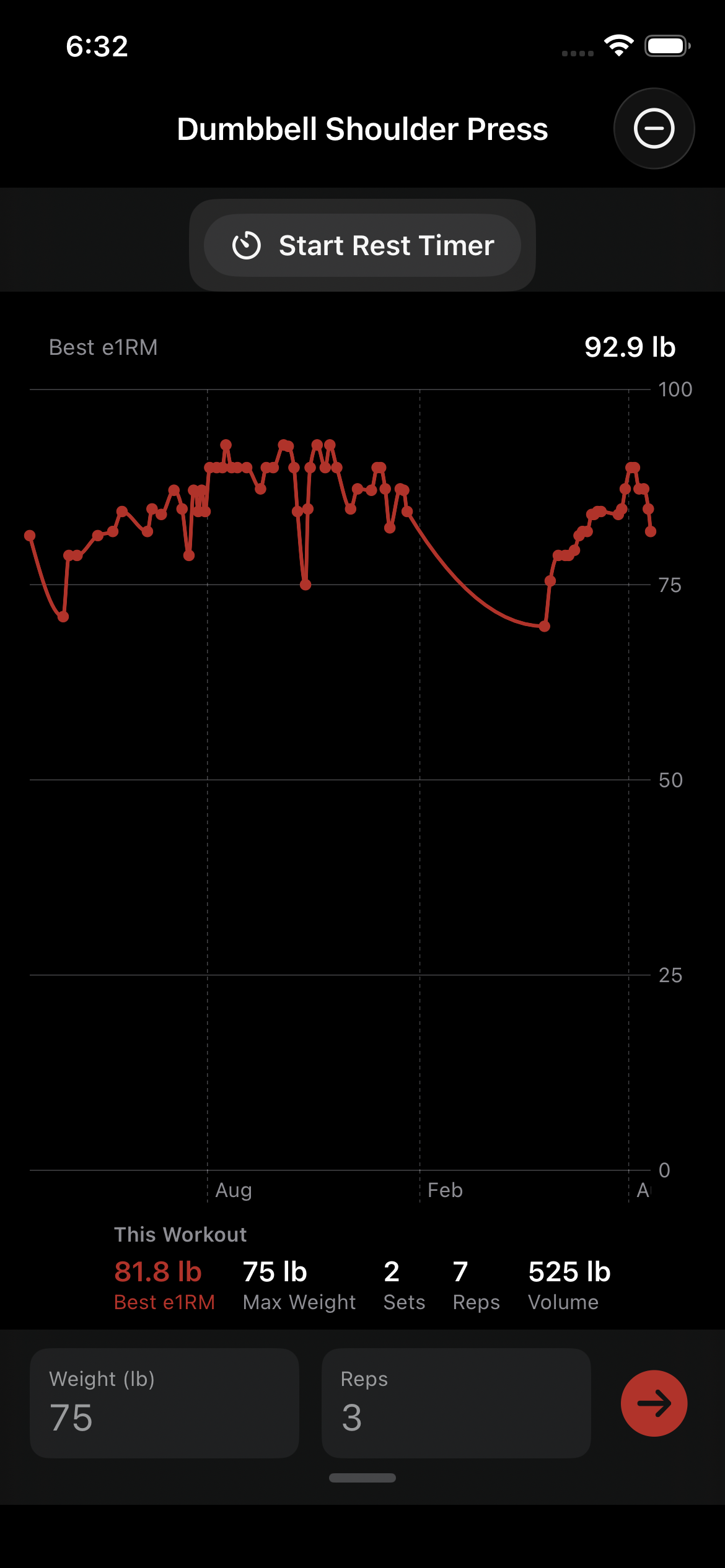
Tap a field, type the number, done. A custom numpad, a rest timer with a live countdown, and last time's numbers sitting right there while you log this time's. Every past session for this exercise sits right below, grouped into cards you can scroll through mid-set.

04 · e1RM
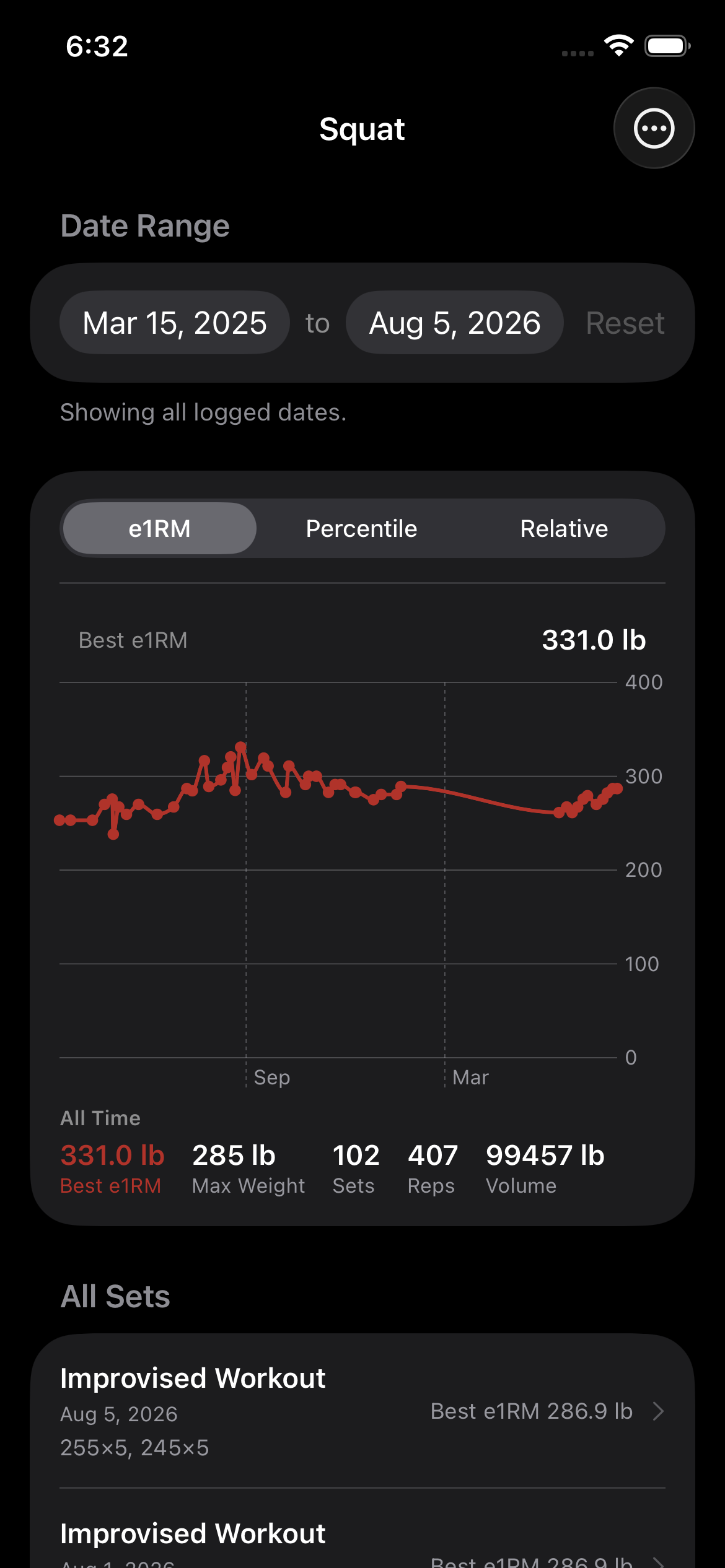
Every set rolls up into an estimated one-rep max, charted over time (Brzycki under 12 reps, Epley above). This is a real 102-set Squat history: 225 lb up to a 331 lb e1RM.

05 · Percentile
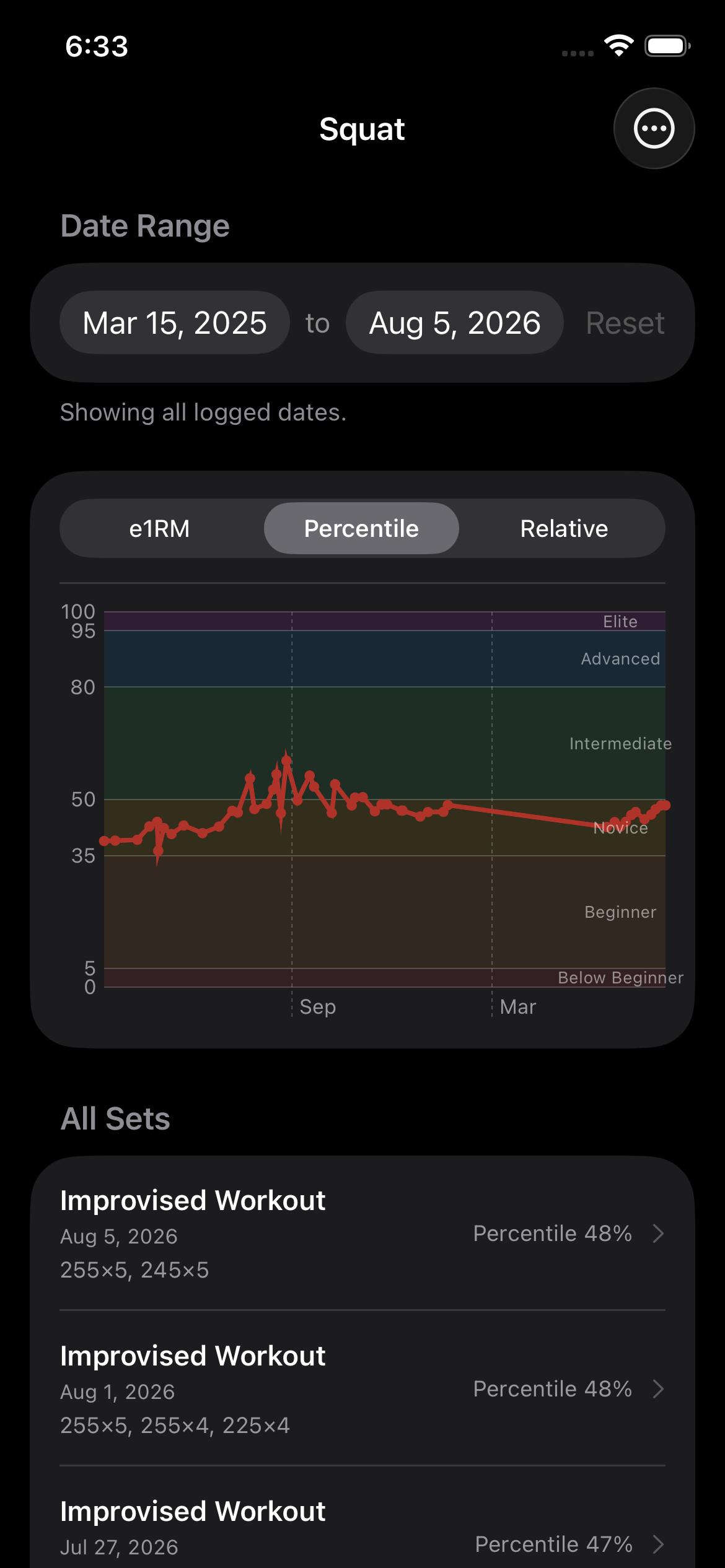
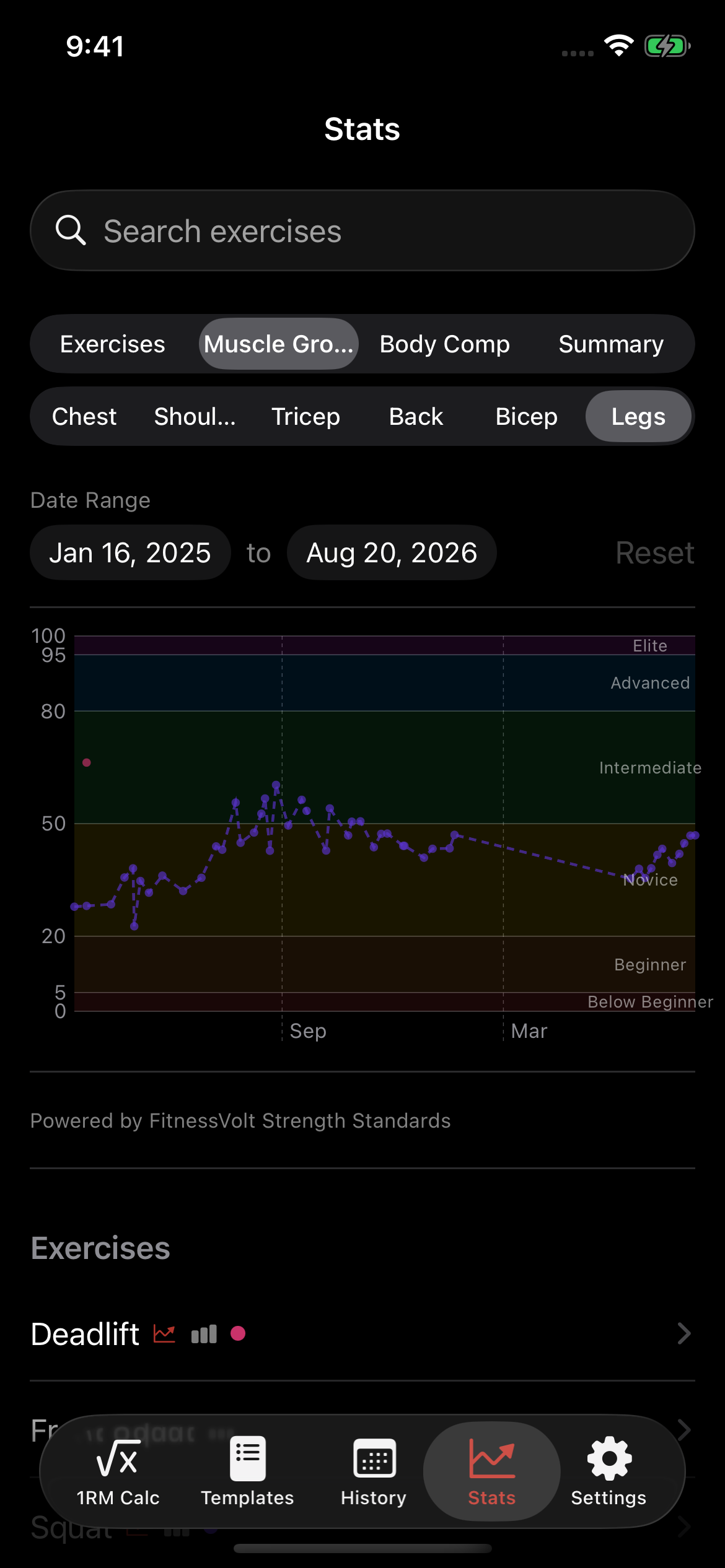
ApexSet compares your e1RM against real population strength data (Beginner through Elite) and plots relative strength (e1RM ÷ bodyweight) alongside it. Not just "are you improving," but "how do you actually compare."

06 · Muscle Groups
Leg day isn't just Squat. Every exercise you've logged for a muscle group gets its own percentile trend in its own color, with search to jump straight to any of them.

07 · Body Comp
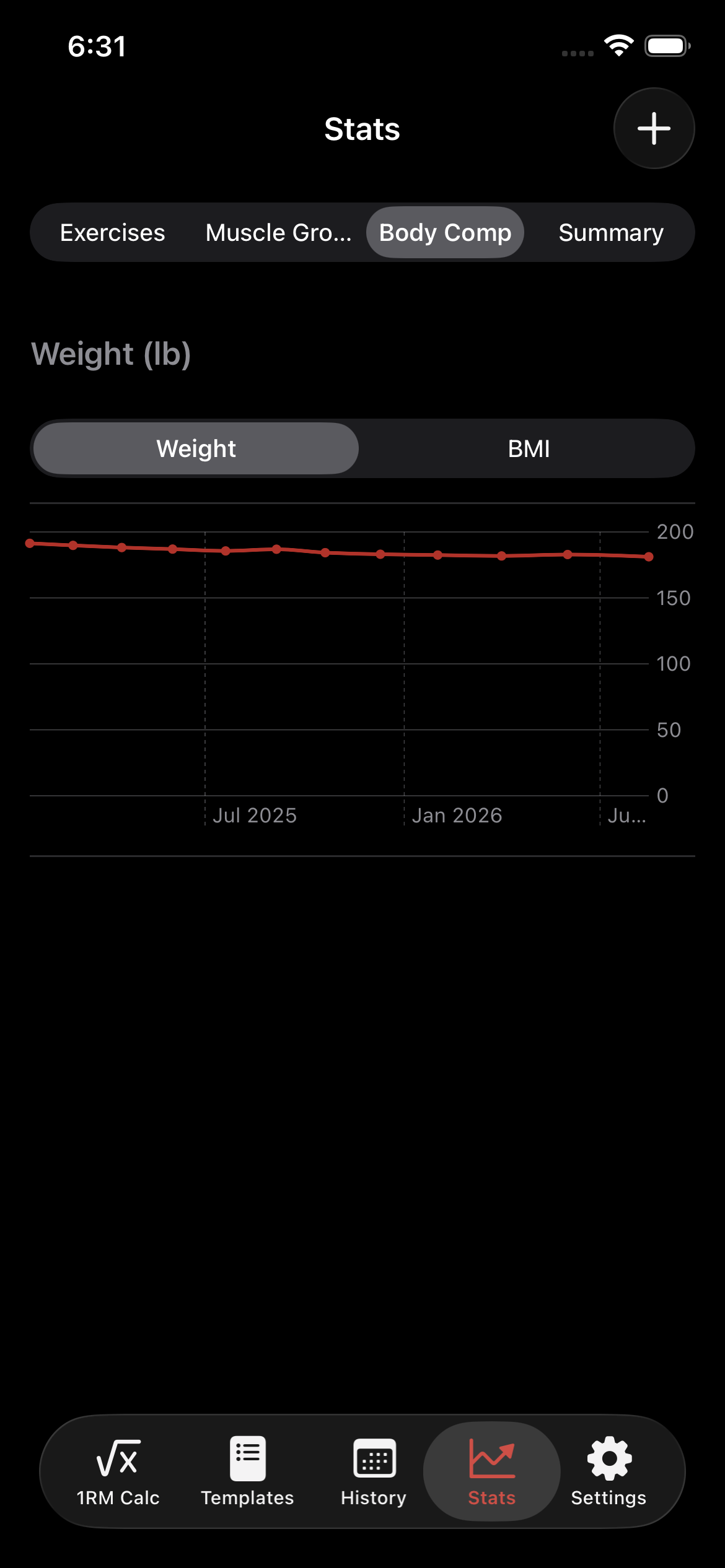
Optional Apple Health integration imports your bodyweight, then charts it alongside a BMI computed from your height: read-only, on-device, never written back to Health.

08 · 1RM Calculator
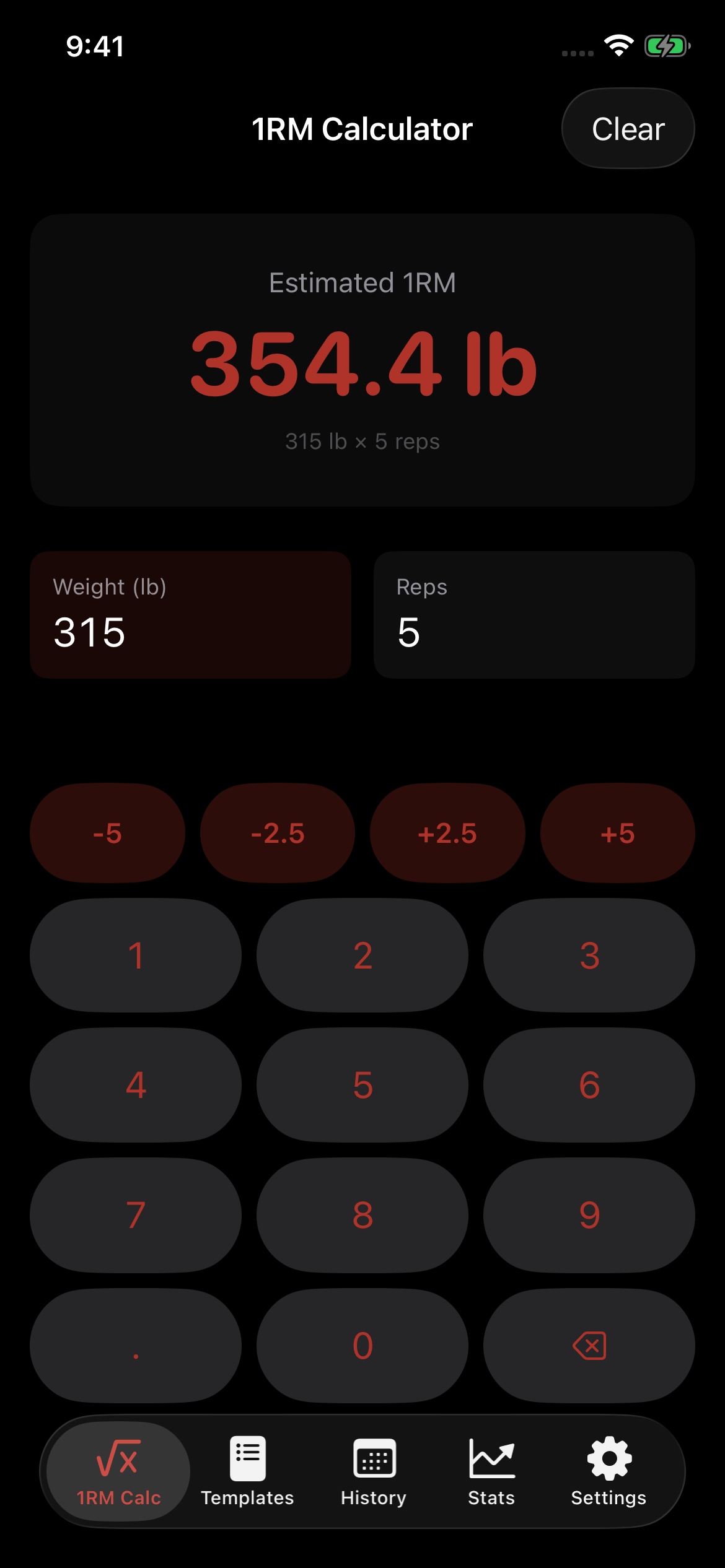
The same Brzycki/Epley formula that powers every chart in the app, available on its own: type a weight and reps, get an estimated 1RM instantly. No exercise, no logged set, nothing saved.

09 · Summary
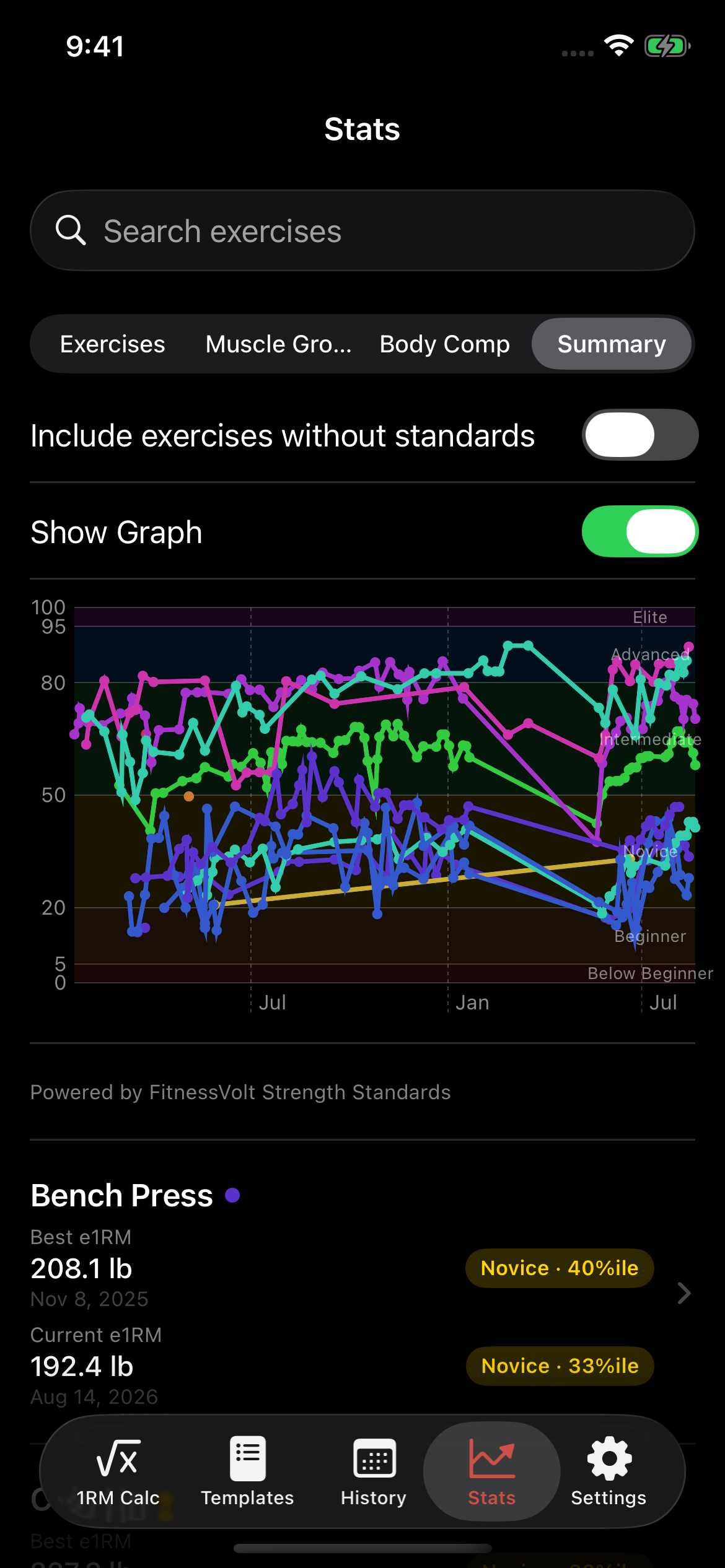
Every exercise with a strength standard, plotted together, each in its own color, a toggle away from the summary list below: one screen instead of scrolling through each lift on its own.

Privacy
Nothing is sold, shared, or monetized, because ApexSet was never built with a place to send it.
Read the full Privacy Policy →